 Seven steps to install ReFoxXII
Seven steps to install ReFoxXII
1. download ReFoxXII
files

ReFox_INSTALL
(you receive the link for download after purchase)
- download and save the .zip archive to your local disk
- do not unpack it directly from the browser
- unblock the downloaded .zip archive
2. create new folder for ReFox (e.g. "C:\ReFox XII")

and unpack the archive.
3. run setup program SET.ReFox.exe to install ReFox

FIX for some possible problems
(www.refox.net/problem-fix.html)
4. fill out your details in the form
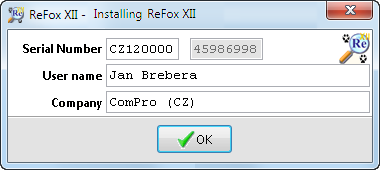
fill out the field 'Serial Number' - you receive a unique s.n. after
purchase
modify the fields 'User name' and 'Company' if necessary
after clicking [OK] ReFox prepares data for generating the activation key:
created data sample:
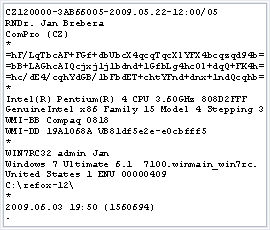
see ReFox.~~~ and ReFox~~~.zip files in your ReFox folder
5. send the data for generating the activation key
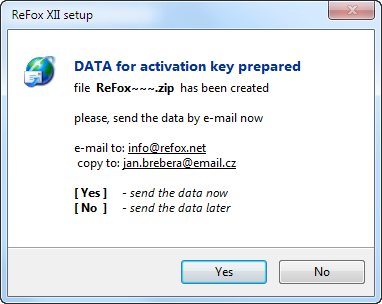
if sending automatically failed
please create and send the e-mail message now
copy the text of ReFox.~~~ to the e-mail message body
and the file ReFox~~~.zip send as an attachement
6. wait for sending the activation key back
this can take several hours depending on daytime
7. copy the activation key ReFox.key into ReFox folder
and run SET.ReFox.exe again